Take full advantage of the larger screen with split-view navigation and a multi-column dashboard.
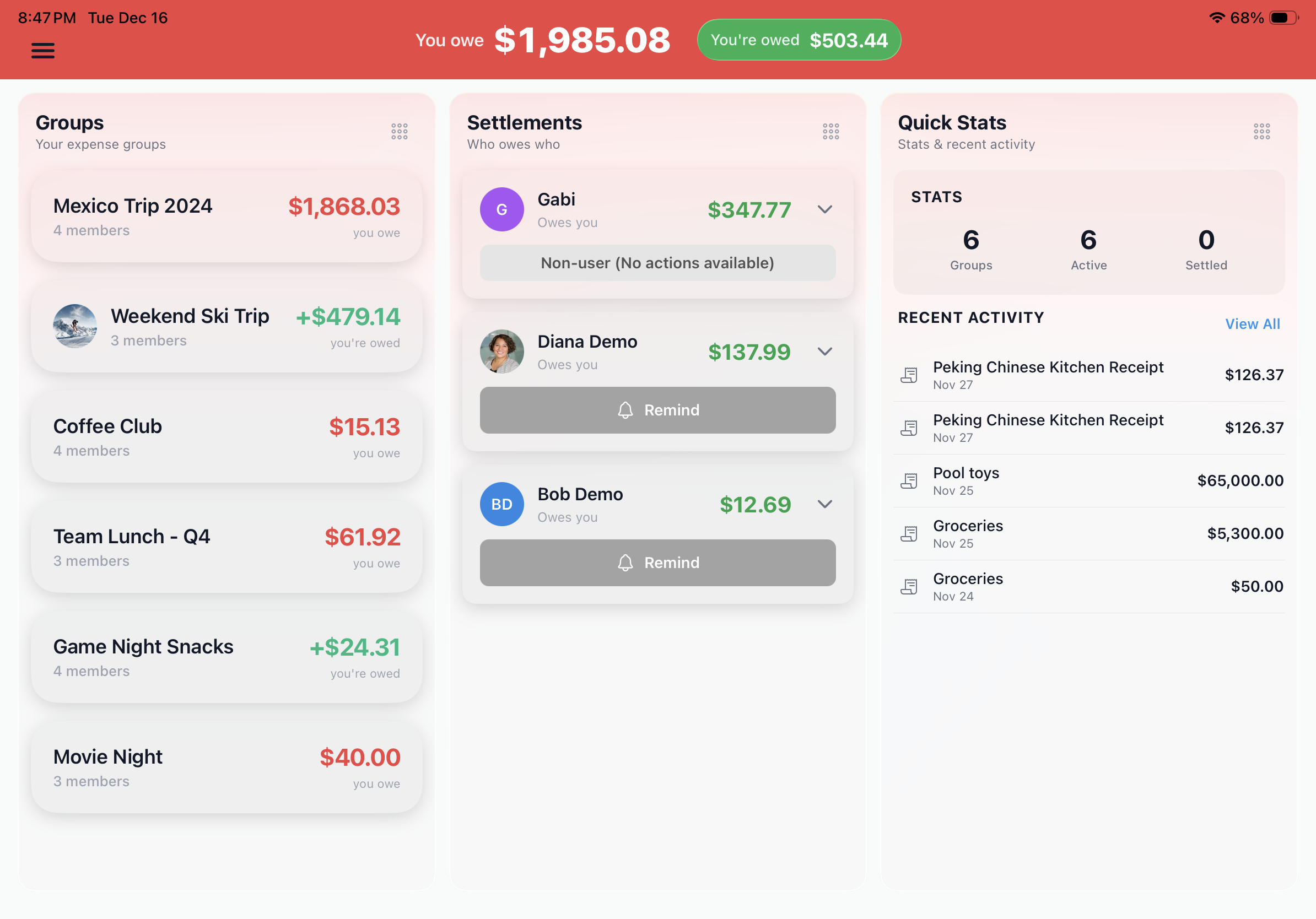
See your Groups, Settlements, and Quick Stats side-by-side. The larger screen means less scrolling and more context when managing multiple expense groups.
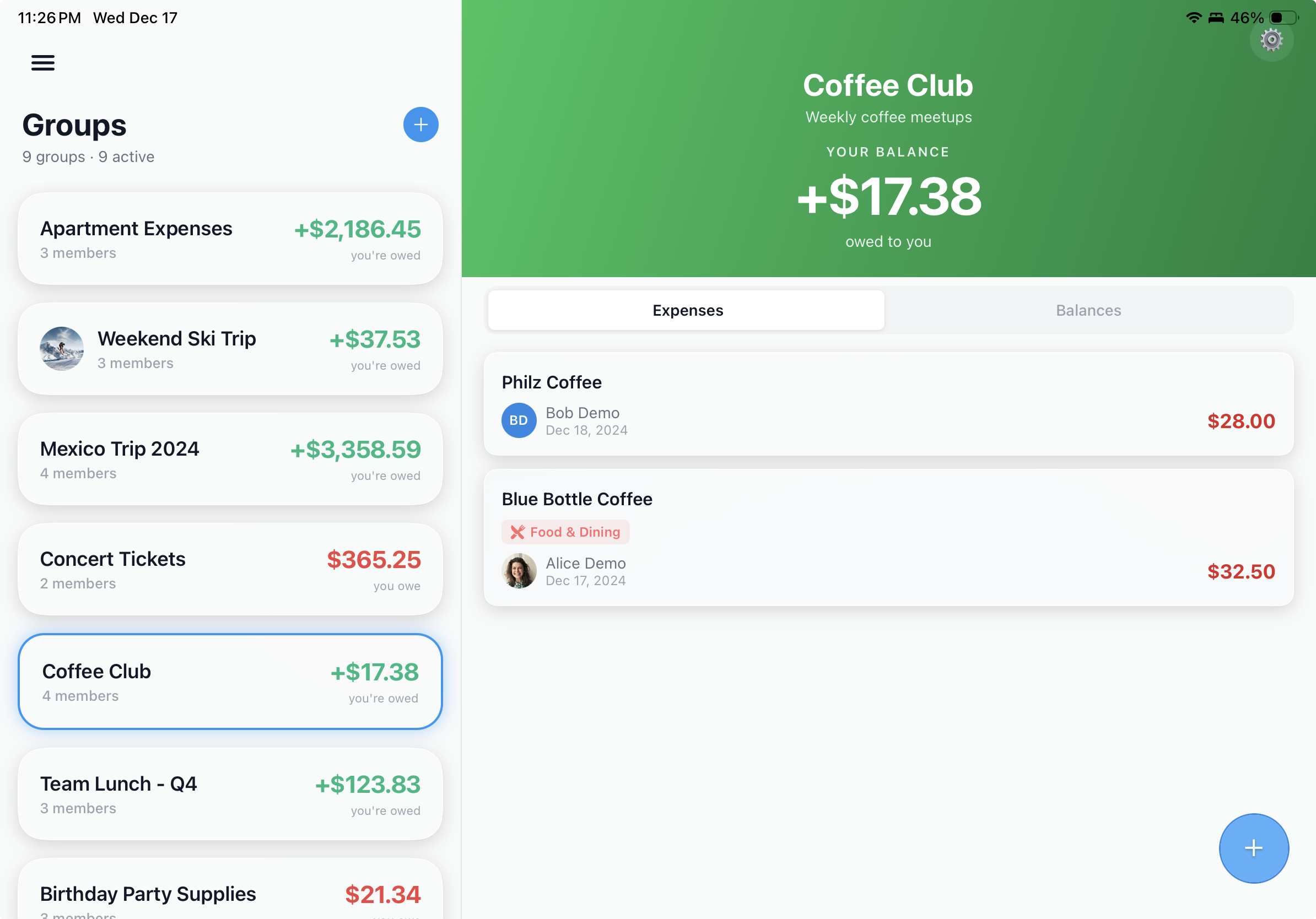
Browse all your expense groups on the left while viewing group details and balances on the right. Switch between groups without losing context.
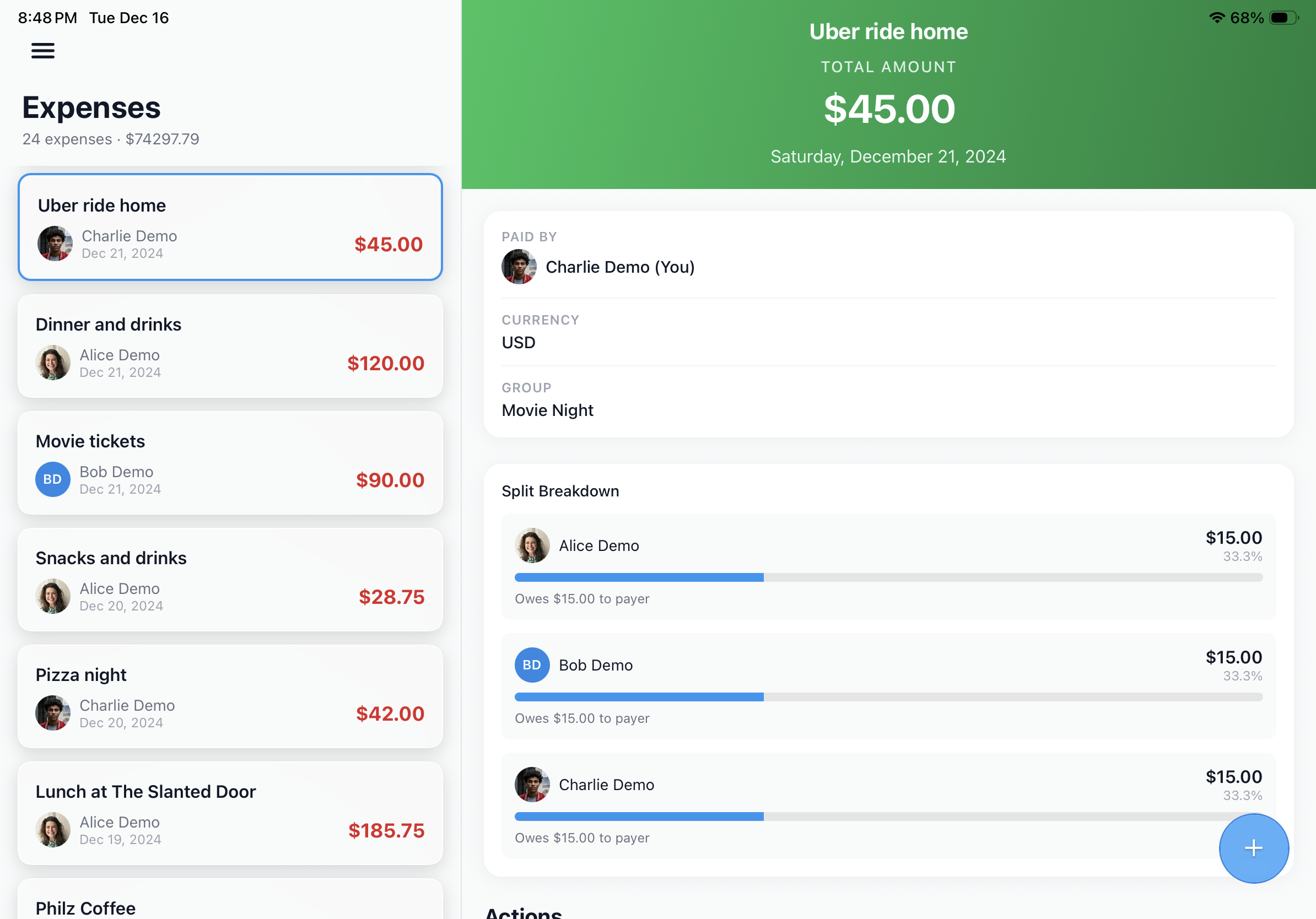
Scroll through your expenses on the left while viewing full details on the right. No more tapping back and forth between list and detail views.
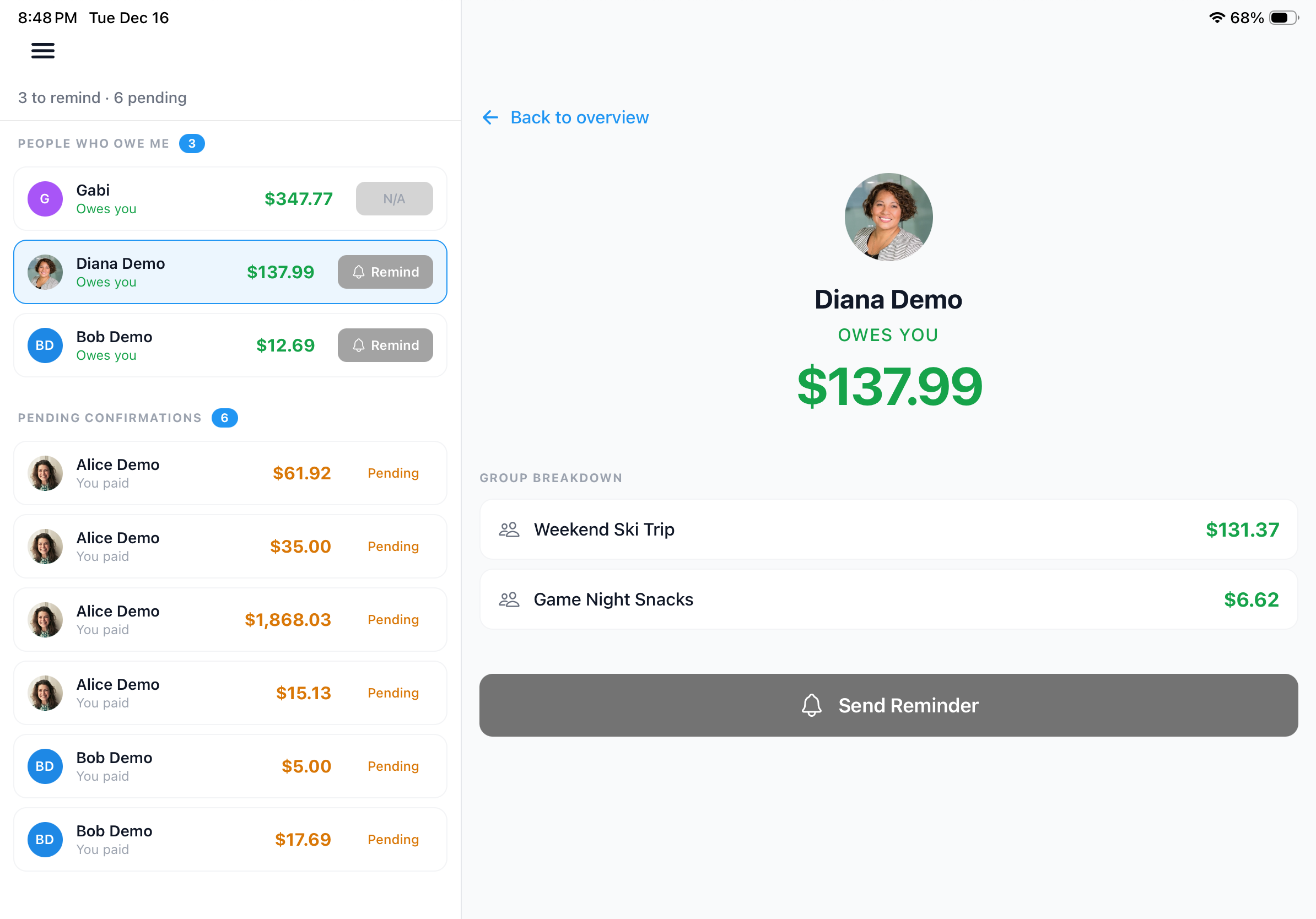
View all pending settlements alongside detailed breakdowns by person and group. Send reminders without losing your place in the list.
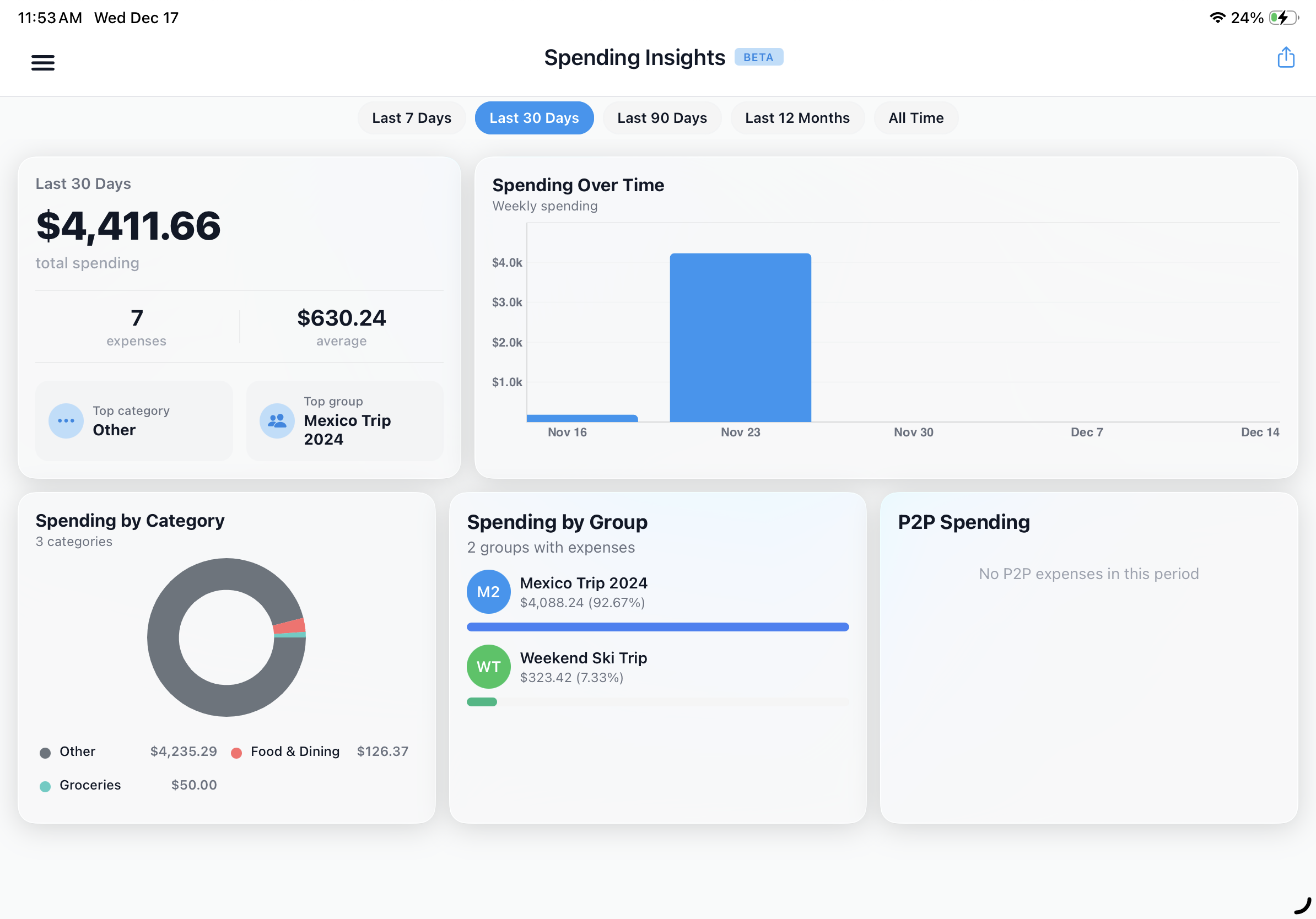
Visualize your spending patterns with interactive charts and category breakdowns. The larger screen brings your financial picture into focus.
 SplitterUp